
Printed Bible or Bible App: Which Should You Choose?
If you want the simplest answer, go with a printed Bible for distraction-free reading and a Bible app for search, highlights, notes, and the convenience of having it with you everywhere. For many Christians, the better choice isn’t either-or. It’s the format that fits your habits, your comfort with privacy, and the way you actually meet with God each day.
Key takeaways
- A Bible app can search verses, compare translations, and save notes in seconds, while a printed Bible cannot.
- If privacy matters, review app permissions and account sign-in before you install, especially if you want fewer notifications.
- YouVersion lists 3,500 Bible versions in 2,300 languages, plus free reading and listening tools, so the app can cover many study needs.
- A printed Bible still wins when you want zero battery risk, no pop-ups, and a quieter reading experience.
- The best choice is the format you will use every day, not the one with the most features.
What a Bible app does that a printed Bible cannot
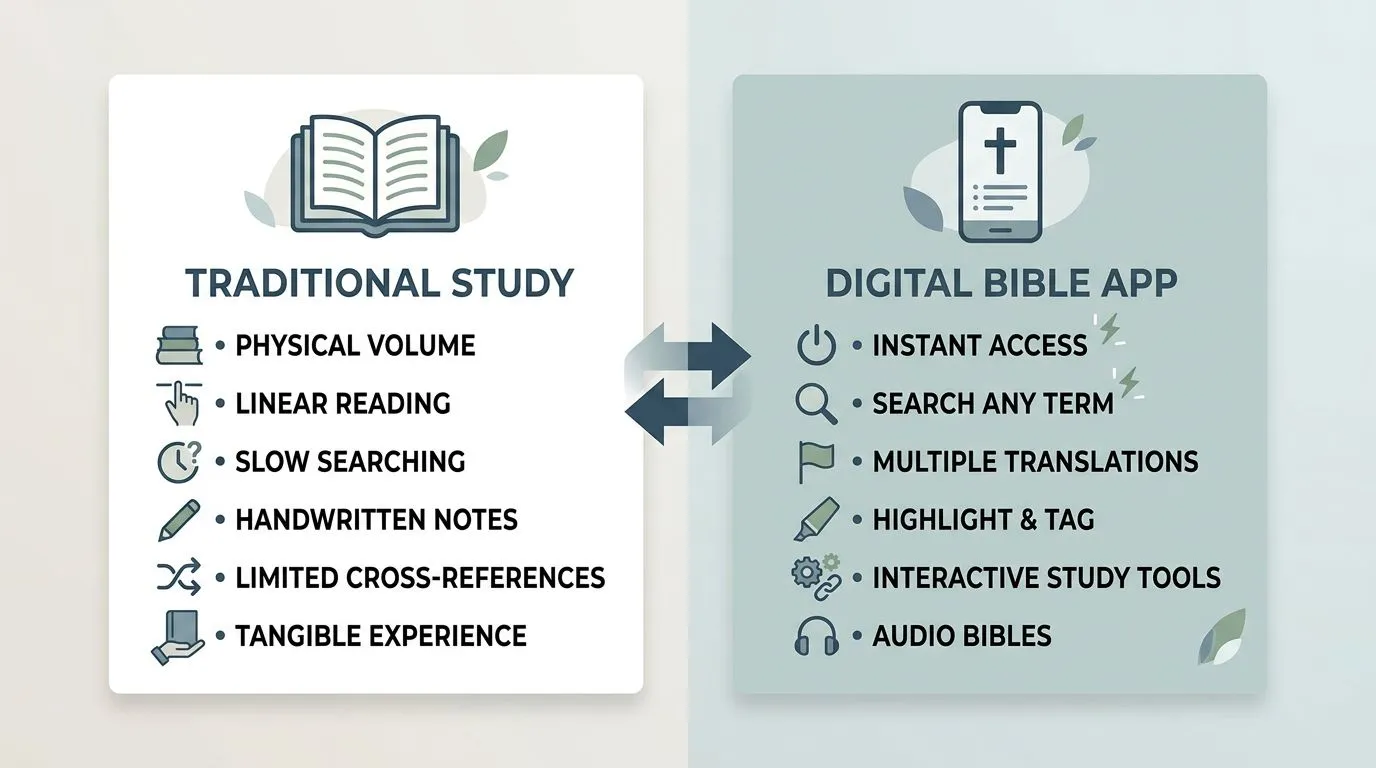
| Feature | Printed Bible | Bible app | Practical takeaway |
|---|---|---|---|
| Search | You flip pages by hand. | You can search words, verses, books, and passages instantly. | A Bible app is faster for study, cross-references, and sermon prep. |
| Highlights and notes | You mark pages with pen, tabs, or sticky notes. | You can highlight verses, save notes, and review them later in one place. | Digital marking is easier to organize and easier to revisit. |
| Version comparison | You need more than one Bible or a reference Bible with multiple columns. | You can compare translations side by side in the app. | This helps when a verse is unclear in one translation and clearer in another. |
| Offline reading | It works anywhere without a signal or battery. | You can download versions for offline use, depending on the app. | A printed Bible is more dependable in the middle of a dead phone battery or no service. |
| Portability | It adds physical weight. | It lives on the device you already carry. | An app wins for travel, commuting, and pockets. |
| Reading habits | There is no built-in reminder system. | Many apps include reading plans, reminders, prayers, and audio. | The app can help you stay consistent, but it can also add distractions if notifications are left on. |
YouVersion says its Bible App offers free reading, listening, Bible Plans, prayers, and comparison across 3,500 Bible versions in 2,300 languages, with over 700 million installs worldwide and 2026 daily users listed on its site YouVersion. That’s a major advantage if you want a broad translation library in one place. It also means the app is built for study habits that are hard to match with a single printed volume.
A printed Bible still has one clear strength that no screen can really match, it lets you sit with the text without pop-ups, badges, or tabs pulling at your attention. If you tend to drift into other apps, the physical book is often the better spiritual fit.
Which devices and platforms support common Bible apps
Most major Bible apps work on the phones and tablets people already use, especially iPhone, iPad, and Android devices. YouVersion is available on iOS and Android, and its public pages also point readers to bible.com for web access, while its product pages and support material show a clear focus on mobile use YouVersion.
That matters because platform support decides whether your Bible travels with you or sits on one device. If you move between an iPhone at home and an Android work phone, the app matters more than the device, because your notes and highlights only help if you can reach them where you study.
The practical check is simple. Open the Apple App Store on an iPhone or iPad, or Google Play on an Android phone or tablet, and look for the exact app name before you download. YouVersion’s Bible App and Bible App Lite are both listed as free downloads, but the one you choose should match the device you actually use so you don’t end up with the wrong edition or a feature set you didn’t expect Apple App Store.
If you prefer a smaller app for older phones, low storage, or slower connections, Bible App Lite is the version YouVersion highlights for that use case. That’s useful for readers with an older handset or limited data, because a lighter app can be easier to keep installed and quicker to open YouVersion.
Privacy, permissions, and account choices to consider
A Bible app can ask for access to your account list, and that’s the main privacy question to think through before you install it. YouVersion’s iOS and Android permission pages say that account access is used to make sign-up easier, so you can use an existing account such as Facebook or Google, or choose the more involved email verification route instead YouVersion.
YouVersion also states on both iOS and Android support pages that it does not sell your personal information and does not share it without your express consent YouVersion. That’s reassuring if you’re cautious about faith apps collecting data, but it doesn’t remove the need to read the app’s current privacy policy and review the permissions your phone asks you to grant.
On a practical level, the privacy difference is easy to feel. A printed Bible asks nothing from your device, while an app may ask for sign-in, notifications, or account access so it can sync notes and reading plans. If you don’t want your Bible study tied to a login, that alone may point you toward print.
What to check before installing is straightforward: the app name, the developer name, the permissions screen, and whether sign-in is optional or required for the features you want. If you only want to read Scripture, test whether the app still opens in a basic reading mode before you give it access to more of your account data.
Free access, paid add-ons, and what you actually get
YouVersion’s main Bible app is free, and its public site describes Bible reading, audio, Bible Plans, prayers, notes, and version comparison as free features YouVersion. That makes the app a very low-cost option for daily use, especially if you want multiple translations without buying multiple books.
Offline access is also part of the value. The app pages say you can download specific versions to use offline, which means your study isn’t limited to Wi-Fi once the version is saved on your device Apple App Store. The catch is storage, so the more versions you download, the more space you use on your phone or tablet.
Free doesn’t mean every Bible app is equally simple. Some apps are crowded with ads, upgrades, or in-app purchases, while Bible App Lite is described as a small, fast, completely free option with no ads or in-app purchases on Google Play Google Play. If you’re easily distracted, that difference can matter more than fancy features.
A printed Bible may still be the simpler purchase when you want one durable object, no login, no battery, and no recurring choices about which module to install. You pay once, then you read. For many believers, that simplicity is a spiritual advantage as much as a financial one.
How to choose the right format for your daily walk with God
Choose a printed Bible if you want a distraction-free physical text. A paper Bible is usually the better fit for church, personal prayer, and any season when you need fewer notifications and a steadier focus on the passage in front of you.
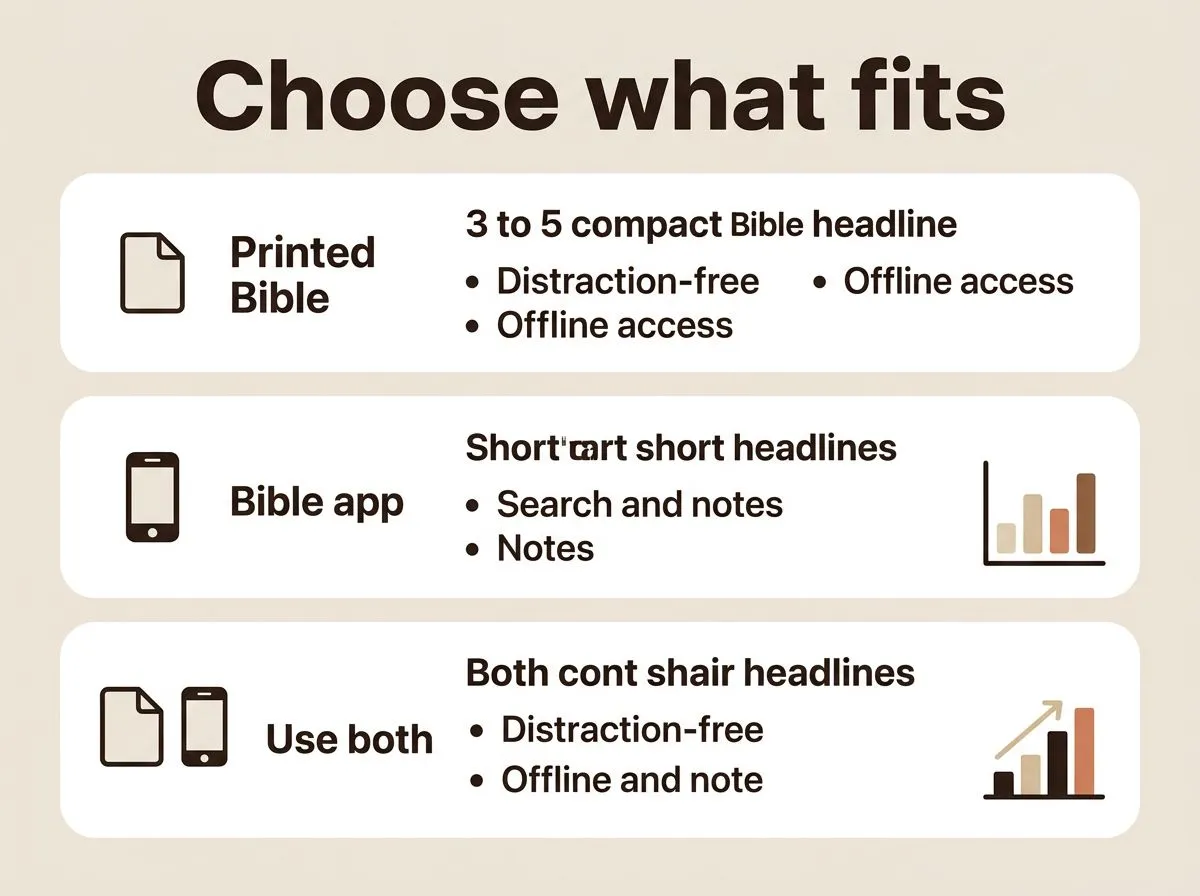
Choose a Bible app if you want search, notes, multiple versions, and reading on the device you already carry. That’s the better choice for commuters, travelers, students, and anyone who studies in short moments throughout the day.
Use both if you want the strengths of each format without making one tool do everything. Keep a printed Bible at home or at church, and use the app for travel, quick checks, and verse comparisons when a passage needs a second look.
Match the choice to your habits, not to trends. If your phone helps you stay in Scripture, use it with gratitude. If your phone pulls your attention away, let the printed page give your mind room to listen for God’s Word without competing noise.
The choice that serves your faith best
The best Bible format is the one that helps you actually open Scripture, stay with it, and obey what you read. If your life calls for portability, search, and translation tools, the app is the stronger tool. If your heart needs silence, steadiness, and a tangible page, the printed Bible will often serve you better. Many Christians grow most by using the app for access and the printed Bible for depth, because both can help you return to God’s Word with attention and gratitude.
Frequently asked questions
Can you use a Bible app without creating an account?
Yes, in many cases you can, but the exact path depends on the app. YouVersion’s support pages say you may use an email verification option instead of signing in through a social account. If you want the least friction, check the current sign-in options before you install or commit to a login.
Does a Bible app work offline after installation?
Yes, many Bible apps work offline after you download the version you want. YouVersion’s app and App Store listing both say offline reading is supported once content is saved on your device. Just remember that offline access depends on having downloaded that Bible version first, and it will use storage space on your phone or tablet.
Are Bible apps safe for kids or family devices?
They can be, but safety depends on the app’s permissions, account setup, and any sharing or community features it includes. On a shared phone or tablet, it is wise to review whether sign-in is required and whether notifications or account access are turned on. A printed Bible avoids those privacy questions entirely, which some families may prefer.
Can I keep my highlights and notes if I change phones?
Usually yes, if your highlights, bookmarks, and notes are attached to the same account and synced before you switch devices. That matters most if you move between phones, because the app only helps if your saved study material is tied to the login you can still access. Before changing phones, confirm that everything is showing up under the correct account.


A Letter From Jesus to You
Maybe you arrived here carrying thoughts that no one else knows about. Maybe everything seems fine on the outside, but inside, a battle is taking place. There…

Jesus Has a Word for Your Heart Today
Maybe you arrived here carrying thoughts that no one else knows about. It could be a concern about your family, an important decision, a financial struggle, or…

7 Promises From God for Difficult Times
Seven promises to pray in hard seasons, with clear context so you can trust God’s Word without misreading it.

A Practical Guide to Reading the Gospels
Read one Gospel at a time, keep sessions short, and notice each writer’s purpose so Jesus’ words stay clear.